

I just purchased my first Apple product and it’s this Macbook. Yes, a new beast added to my devices list. So, I was just browsing the web to find out, how can I online register my MacBook Air for a warranty but sad, I didn’t find anything worthy; some web pages are outdated or some links are not working. So, then I thought why don’t I write a quick guide for the same so that it can be helpful for all my readers. And yes, here it’s.
Sometimes in the excitement of using the new device/product, we forget to register the product for warranty. But, this must be the first step after setting up your device to use. Warranty is a guarantee or promises we get from the company for a limited time and through which if get, an issue in the device/product we can get it repaired or replaced freely by the company.
Apple gives a one-year hardware warranty, check this web page to know all information about the Apple hardware warranty.
How to Register Your New Apple Product Online for Warranty
There are many ways to register your new Apple product online. Such as Via iTunes, Apple website, etc. We’ll go with the easiest way to do this.
Register Your Apple Product Via Apple Website
You can register your new branded Apple product online for a warranty via Apple Official website. Click here to register your Apple product for a warranty. You’ll get a page something like this.

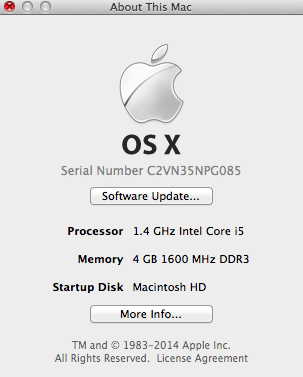
Enter your product serial number. And a serial number of your Apple product you can find on your invoice (receipt), packaging, the surface of the product or in the Apple software. Check out this page to know how to get the serial number of all Apple products. In my case (MacBook Air), it will be shown in the Apple Menu > About this Mac window >> Double Click the version text to check the serial number.
After entering your product serial number, you have to give your product date of purchase, etc. Here you’ll be shown your current warranty period and when your warranty expiring of your product. You can also extend the technical support and hardware repair to 3 years from the date of purchasing by getting the AppleCare Protection Plan.







Leave a Comment